
 Login
Login Enterprise Login
Guide to Making a Professional Business Card for Your Branding with iEdge
Introduction
A perfect business card is not just a piece of information about you. It is something that presents you professionally in front of others, shaping your first impression. Present-day professionals, whether fresh graduates or freelancers, need more than resumes and portfolios.
They need more than just a paper card to present themselves; they need a tool that helps them stand out. According to a Statistic Brain Research Institute study, 72% of people form opinions about a company or individual based on their business card quality.
In short, your card is your first interaction that speaks before you do. This blog will explore why a professional business card is important for your branding and the process of creating one with iEdge, and how it will help you grow professionally.
This will help you know you learn how to make a good business card, what design aspects matter, and how the right card builds credibility. Know the different use cases of digital visiting cards for different industries.
Learn why you need a perfect business card for your personal branding and how to design a good business card like iEdge in just a few steps.
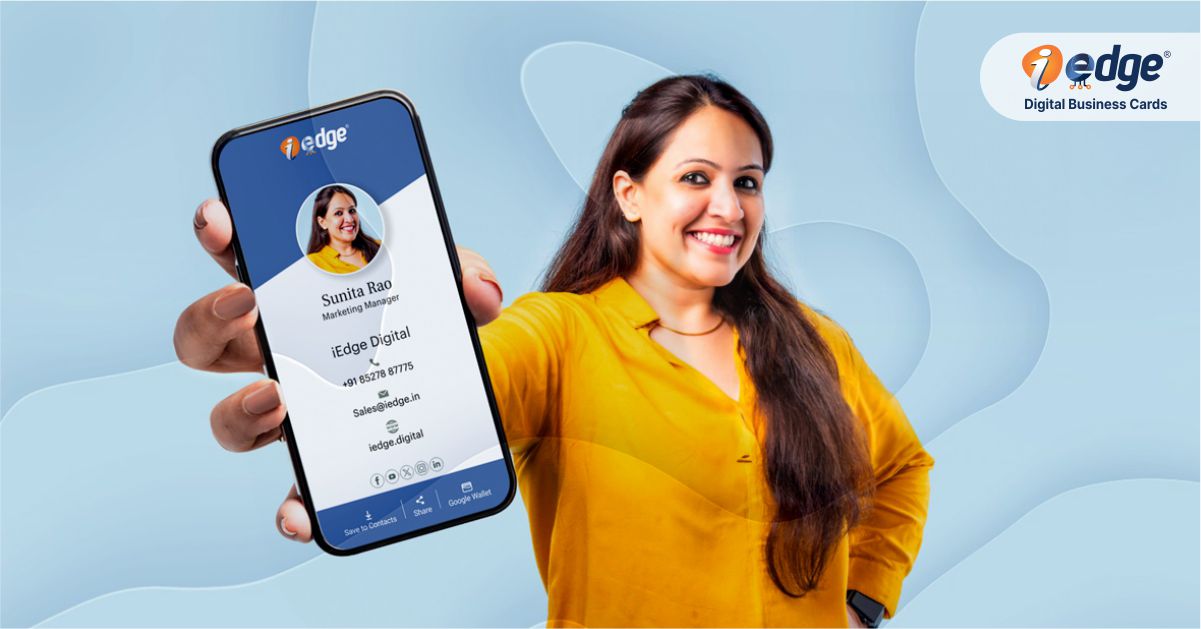
Why You Need a Professional Business Card for Your Branding
In the present times, your personal branding means as much as for big companies. You need to invest in self-branding if you want to leave a lasting impression. Let’s look at five important reasons why a professional business card is a must.
1. First Impressions Matter
When you meet someone at a conference, job fair, or event, the first few seconds of the interaction decide how they remember you. A professional business card helps them remember who you are and what you offer.
Imagine handing out a dull or poorly designed card. It may weaken your professional image. On the contrary, a neat, creative, and informative card instantly makes you look reliable.
Learn everything about the NFC digital card with this guide.


2. Branding Builds Trust
In a market filled with choices, trust is hard to win. A perfect business card is your personal brand identity. When people see your name, logo, and contact details neatly placed, it creates trust.
For example, a freelance designer with a stylish card will be seen as more capable than someone who scribbles details.
3. Networking Opportunities Multiply
Opportunities often come unplanned. A quick chat at an event or meeting can turn into a business lead if you have your card ready. A digital contact card like iEdge can go even further
Instead of just sharing a number, you can share your social links, portfolio, and work samples in one click. This makes networking more powerful.


4. Professionalism is Valued
Professionalism is valued everywhere. Having a professional business card shows that you take yourself seriously. It is not just about sharing contact details but how you position yourself as someone invested in their career.
This is especially useful for college students entering the job market or freelancers who aim to connect with bigger clients.
5. Memorable and Shareable
A well-structured digital card is easy to store, share, and remember. Someone may not recall a conversation, but they will recall your card. With iEdge, your card becomes your interactive identity, which means it can be saved and shared instantly with others. That helps in multiplying your reach without any extra effort.
Study how you can enhance catalog distribution with electronic business cards.

Process to Create the Perfect Business Card with iEdge
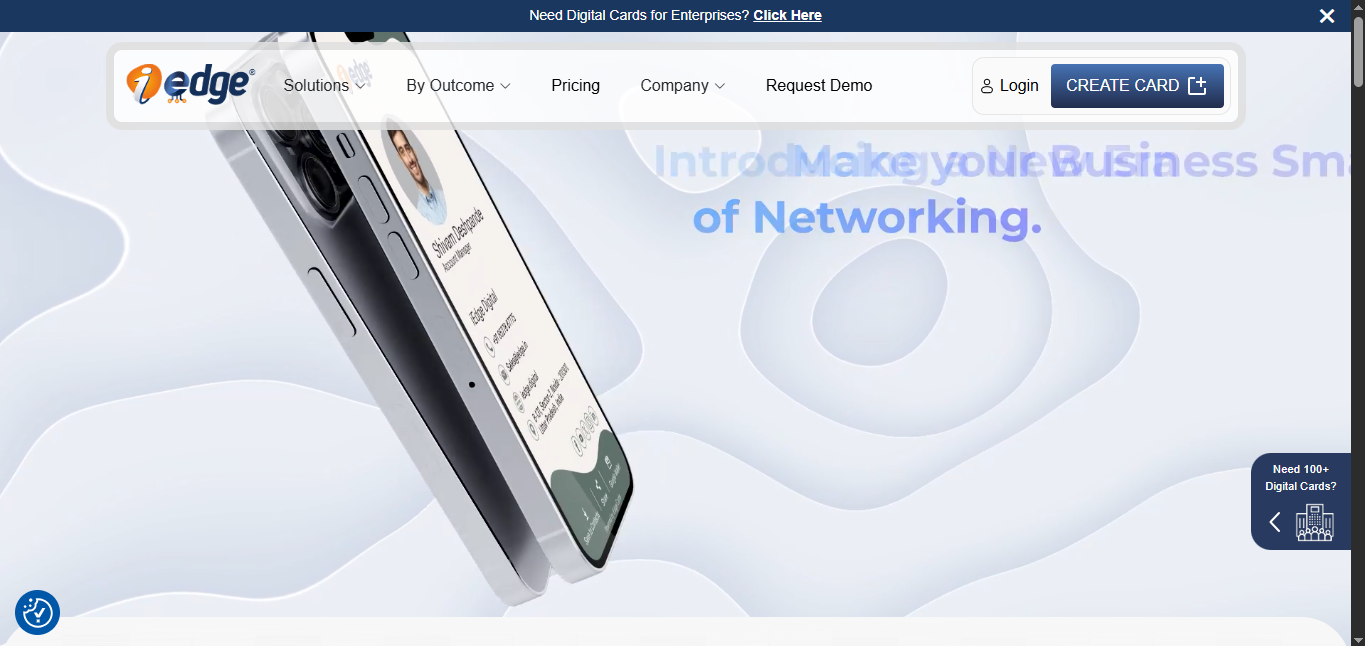
1. Create Card or Login The flow is almost the same. First, you need to create an account or log in. For that, visit the iEdge official site www.iedge.digital. On the homepage, click the CREATE CARD button.
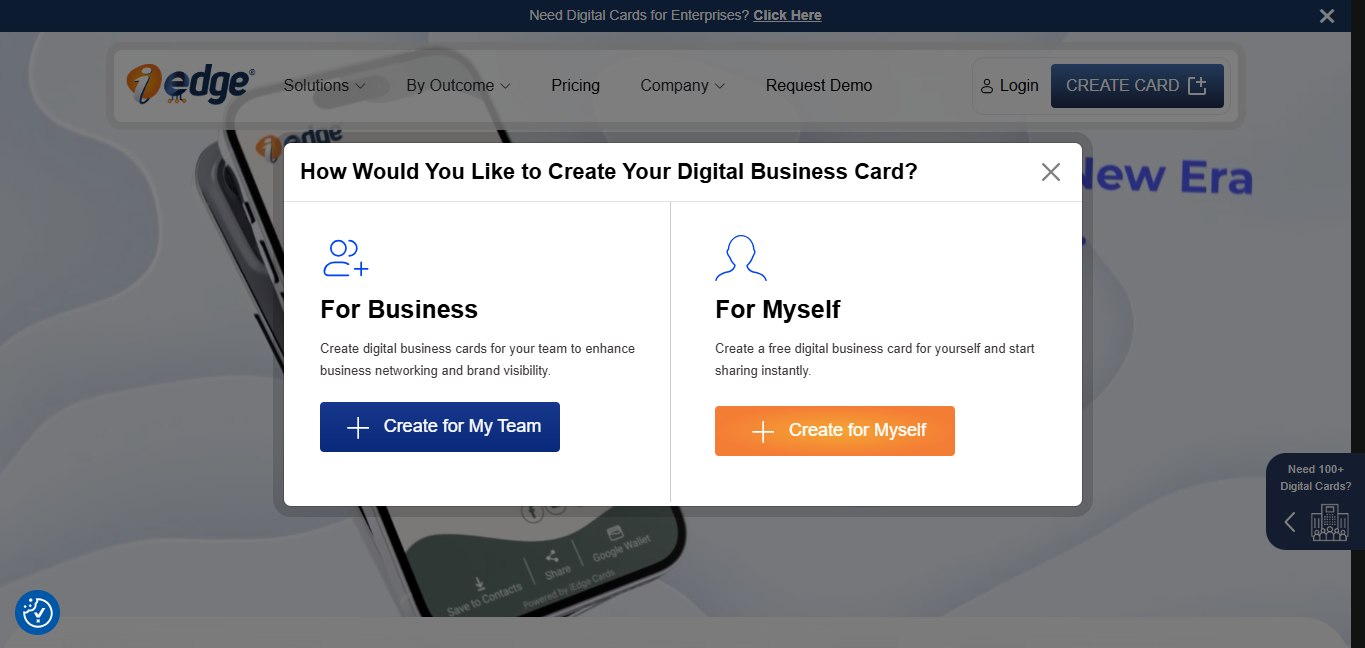
2. This will open a pop-up asking you whether you are creating it for yourself (individual) or a business. Since we are creating our perfect business card, choose the FOR MYSELF option.
3. You will be redirected to a new page. Enter your email address here and click the SEND OTP button.
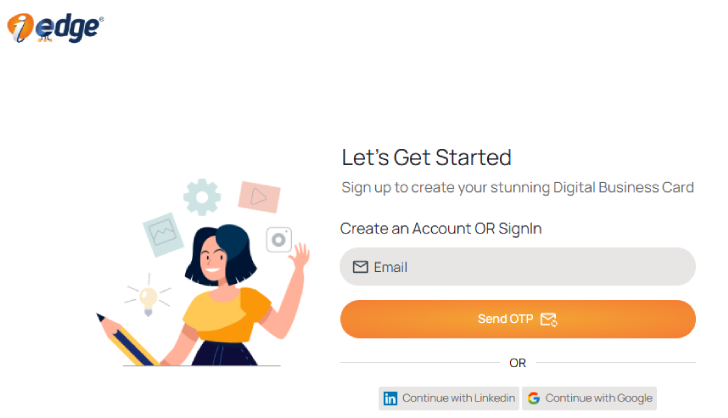
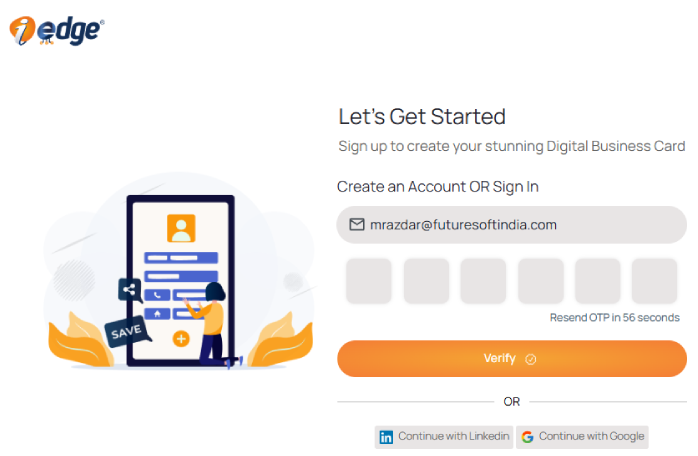
4. Check your email and enter the OTP on the next page. Once verified, you will be redirected to the next page.
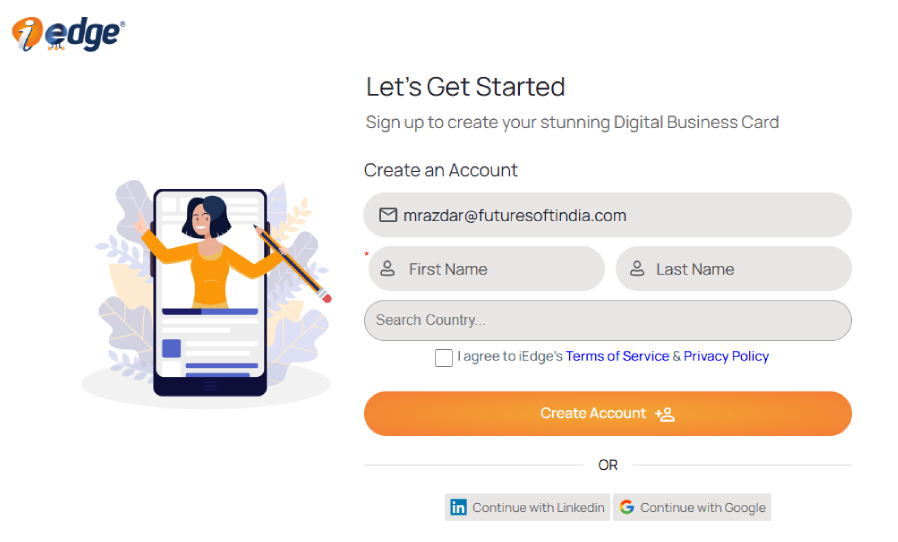
5. Enter your first and last name in the provided space, select your country, and agree to the terms of service and privacy policy after reading them. After going through everything, click CREATE ACCOUNT.
Apart from this, you can use your LinkedIn or Google account for effortless signup or login. Your account is now created, so let’s move further with the card creation process.
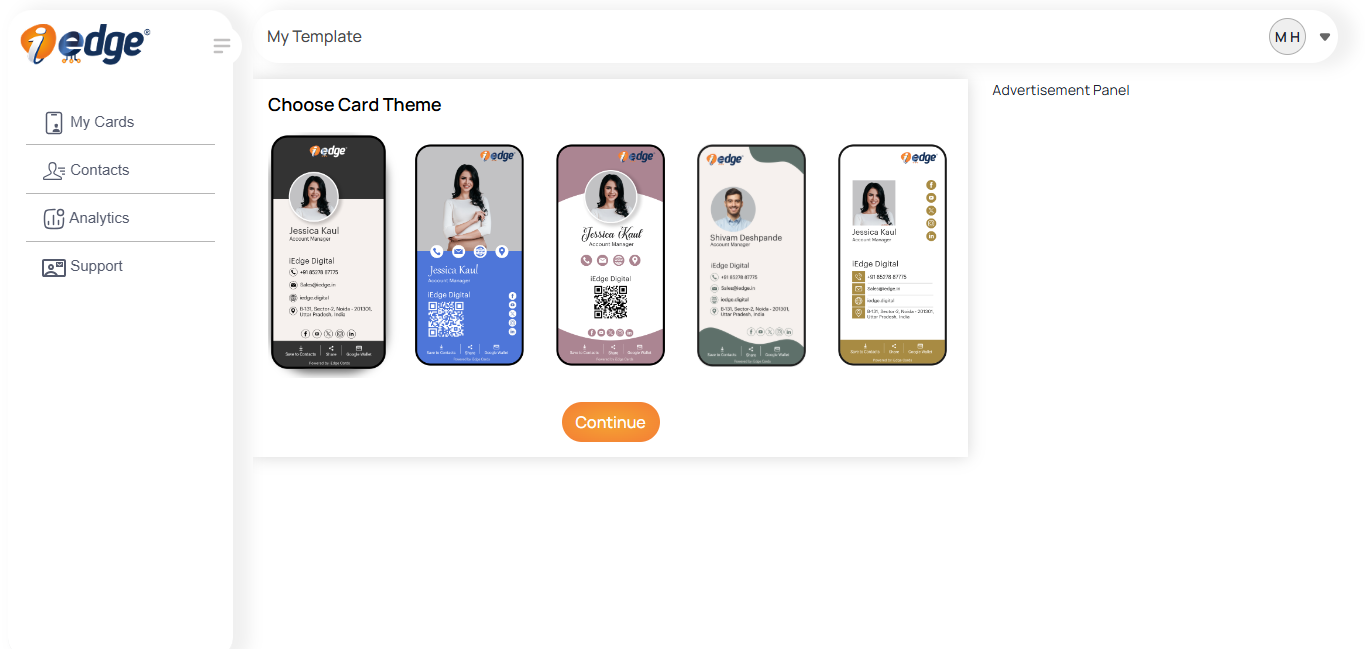
6. You will be provided with a few templates; choose one that you find attractive for your perfect business card.
7. Once selected, edit your details like designation, number, website, company, company name, social media accounts, etc.

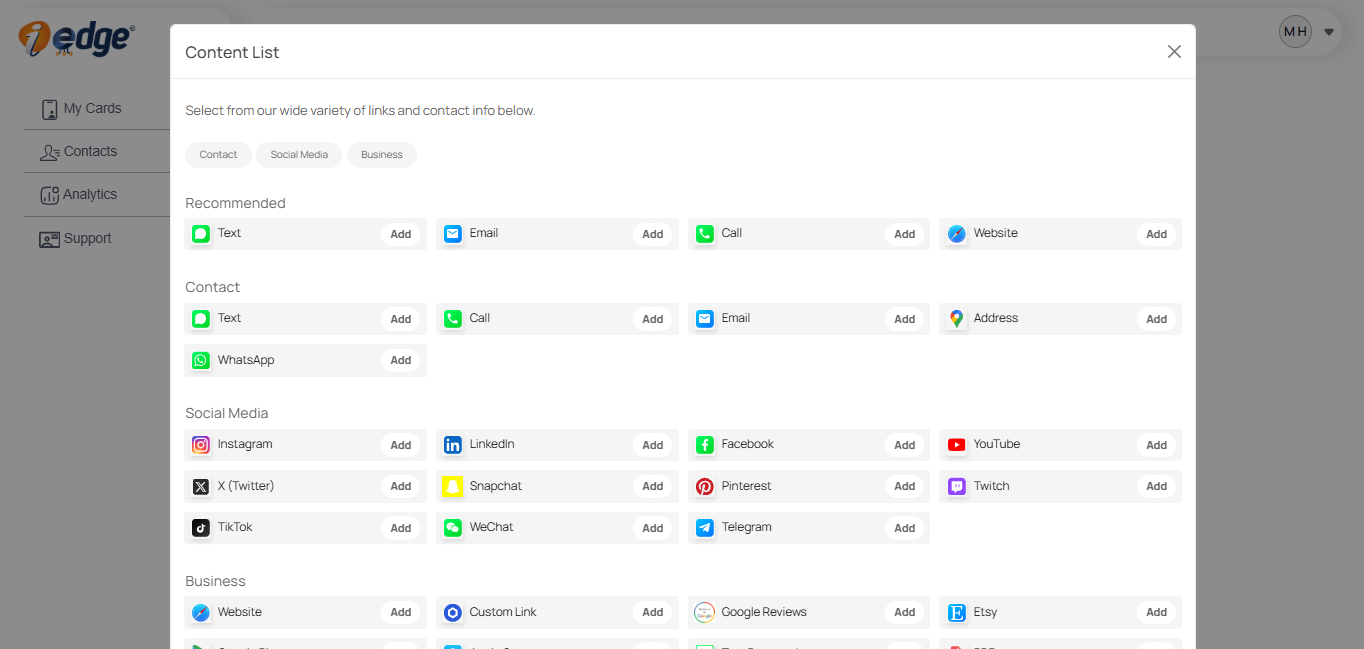
8. If you want to add more social media accounts, contacts, or businesses, you can use the provided menu to add them to your professional business card; available while adding your details.
Once done, your card is ready. Use the unique link or QR code. You can share it online or offline. Unlike traditional cards, our digital card stays updated if you change details later on.
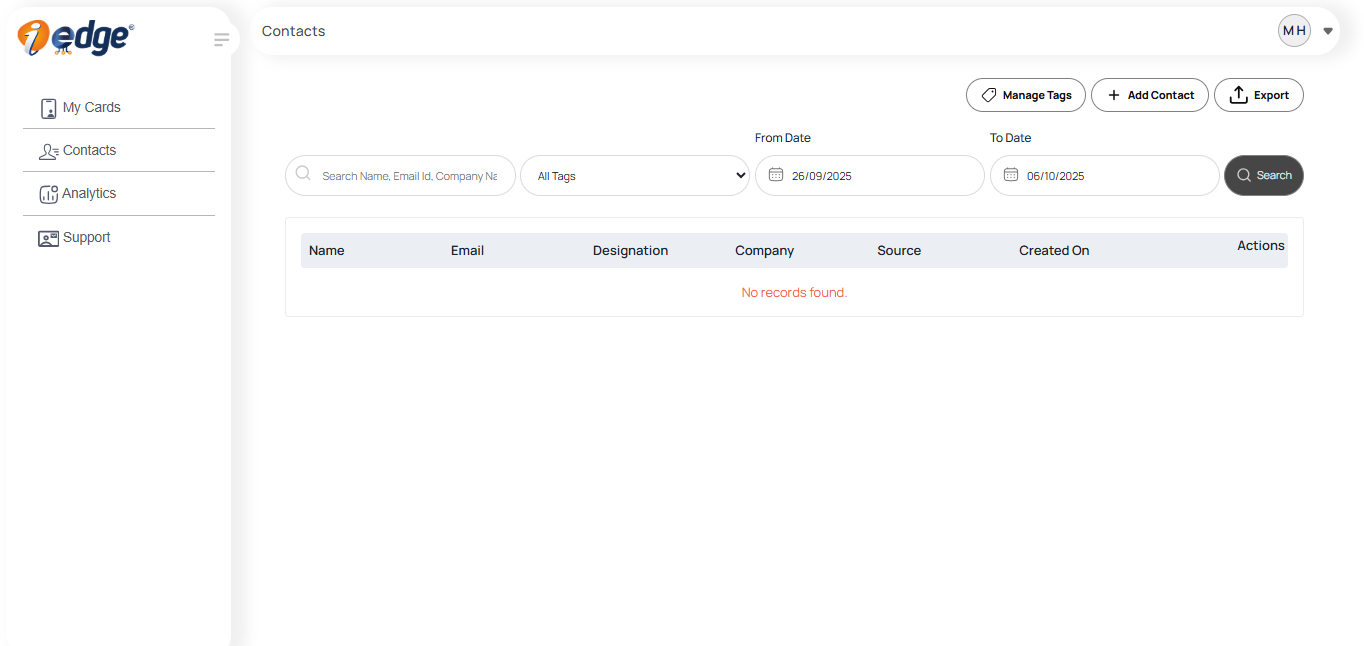
9. From the side panel, you can navigate to different menus. The contact menu will show all your saved connections on the iEdge, along with search and filter options. Alo, you can export them with the EXPORT button.
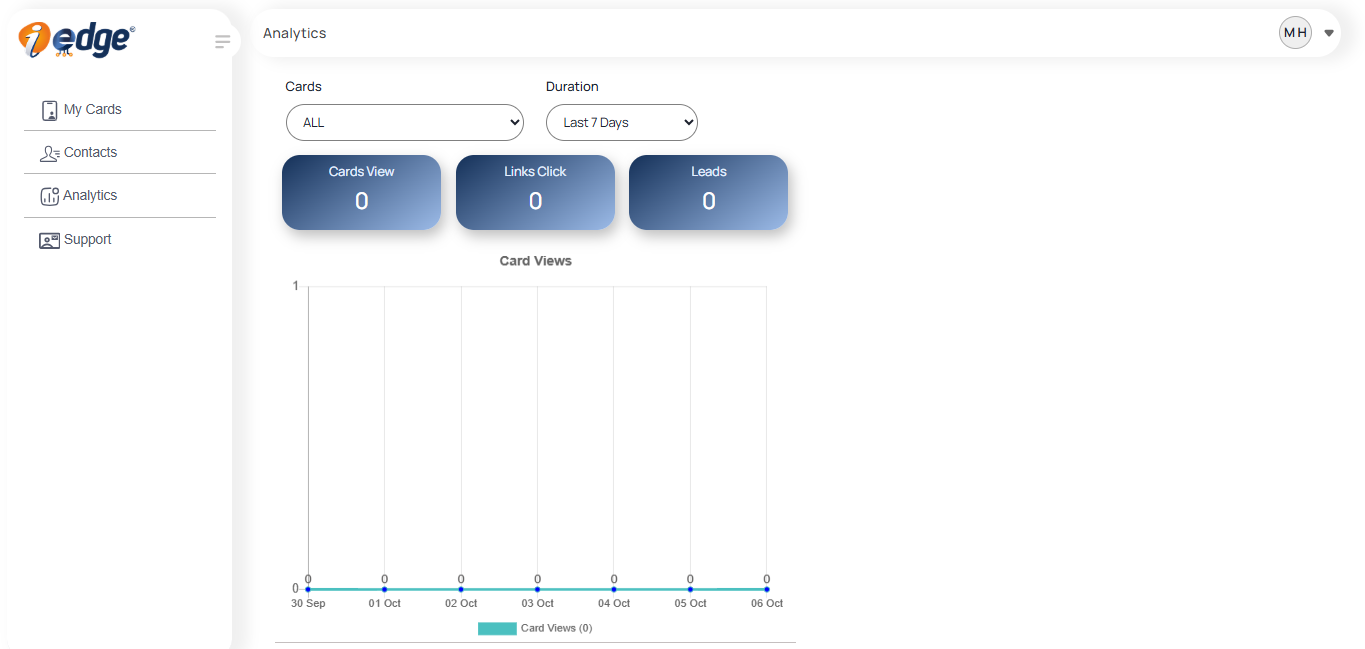
10. The Analytics menu shows you all card views, link clicks, and leads. You can filter results from the provided filter options, like days, weeks, months, etc.
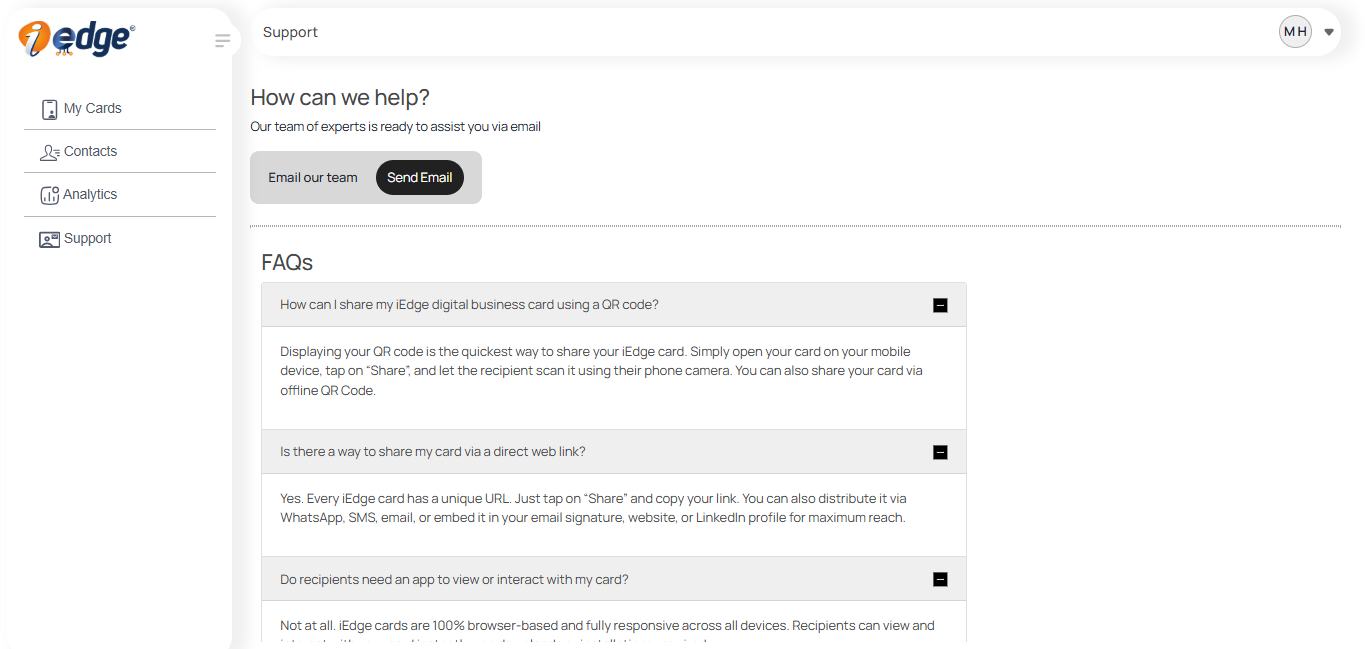
11. The Support menu answers general queries related to business cards, and if you have any other queries or requests, you can connect with our team directly via email through the SEND EMAIL button
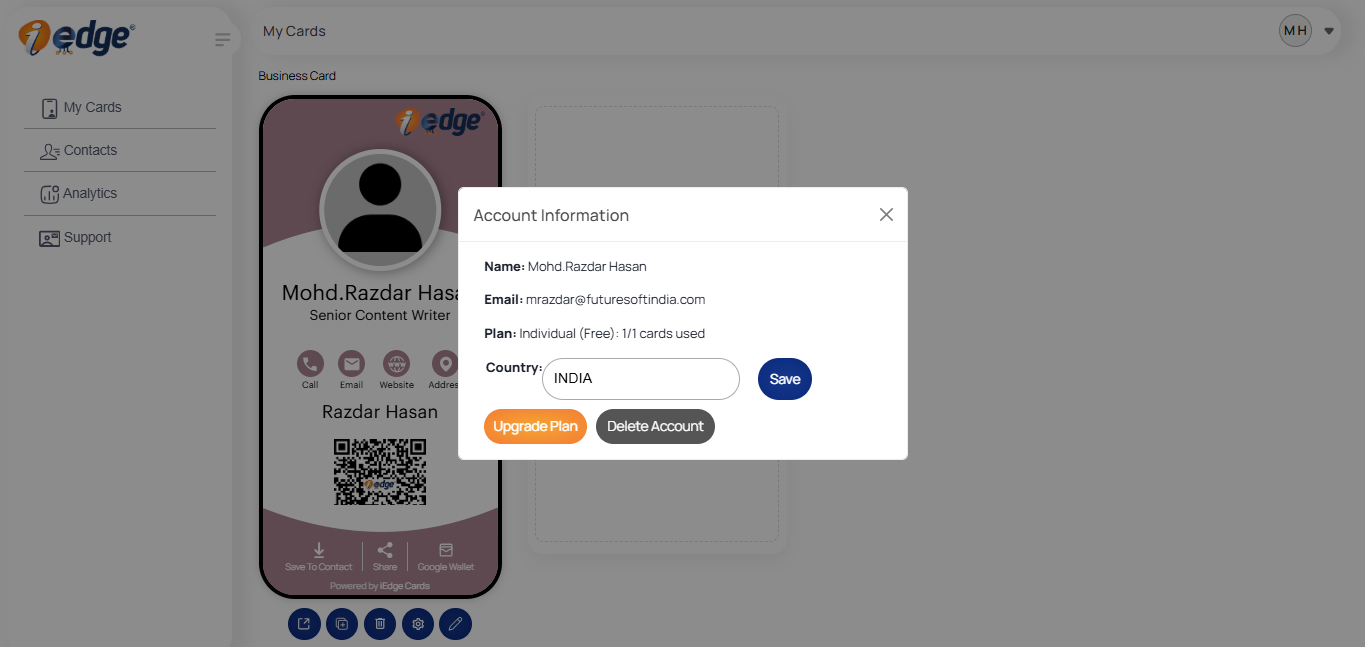
12. Lastly, click on the top right menu for logging out of your account or choose the account option to upgrade or delete your account.
How it Will Help You Professionally
When you create a professional business card with iEdge, it impacts your professional journey in many ways. Five key benefits of it are:
1. Stronger Networking
With iEdge, you can connect instantly. No risk of running out of cards or losing them. A QR code can be scanned in seconds, making it easy to connect.
2. Better Personal Branding
Your perfect business card reflects your personality. When someone sees your card, they see your effort, clarity, and creativity. This helps you stand out in a competitive field.
3. More Visibility
A digital contact card allows you to present your presence digitally. Recruiters or clients can access your portfolio, website, or LinkedIn directly. This builds a wider professional network.
4. Cost-Effective and Eco-Friendly
If you print hundreds of paper cards, you have one digital card that can be shared unlimited times. This saves money and helps protect the environment.
Understand how business card analytics help in improving lead capturing.
5. Long-Term Relevance
Your details may change, but your digital card doesn’t need to be reprinted. You can update it anytime. This lets you keep your card relevant and always correct.
Conclusion
A professional business card like iEdge is a small investment with a big impact. For a freelancer, student, or professional, it is a symbol of credibility, identity, and trust. With iEdge, the process of creating the perfect business card is simple, smart, and futuristic.
You not only learn how to design a good business card but also learned how to make it a key part of your professional branding. In the world, where first impressions count, having a digital contact card is mandatory.
Understand how to leverage multimedia through your narrative-driven cards .
If you want to grow your network, showcase yourself professionally, and make your profile count, iEdge is the right place to start.
FAQs
A good business card cannot be judged by its looks but by what benefits and features it offers to the card user. A professional business card like iEdge allows users to make an unlimited number of edits, add various details like name, address, email, mobile number, etc.
Additionally, it should have an analytics panel from which you can track your card’s performance, which iEdge already has. Also, it should be suitable for both individuals and businesses for professional results.
The most important thing that you always need to put on your card if you are a professional is your portfolio. Besides, if you are into sales, then your catalog should be there. The best thing to put on your business card depends on your industry, which varies according to industry requirements.
To build your perfect business card for yourself or your company, visit the www.iedge.digital website and click the ‘Create card’ button, and follow the steps. Once done, you can customize or edit it as per your requirements and avail the various options mentioned on the website.
A good business card design is something that means something out of the box or is unique, but it is something that should represent you professionally in front of other professionals. It must carry your identity, your work, and your contact information for the basics. Going advanced means adding various other details that further enhance your profile and identity.
The best practices for business card design include:
- Design: Good quality graphical design that shows your details in a balanced way.
- Readable Typography: Select a legible font and make sure that the text is at least readable (8pt). Also, ensure it's easily readable with the right contrast between text and background.
- Visual Flow: The information on the professional business card should be arranged hierarchically. Make your name and company name stand out with a larger font.
- White space: Don’t clutter the card; instead, use the space properly and design every element accordingly, so each element is visible properly.
- Avoid Pitfalls: Check and verify everything and proofread everything multiple times to catch any errors or typos.