
Best Digital Business Cards that Support CRM Integration
Executive networking has changed a lot. It has become fast and paperless. Paper cards no longer match the speed of modern sales cycles. They get lost, sit in drawers, and never reach your CRM.
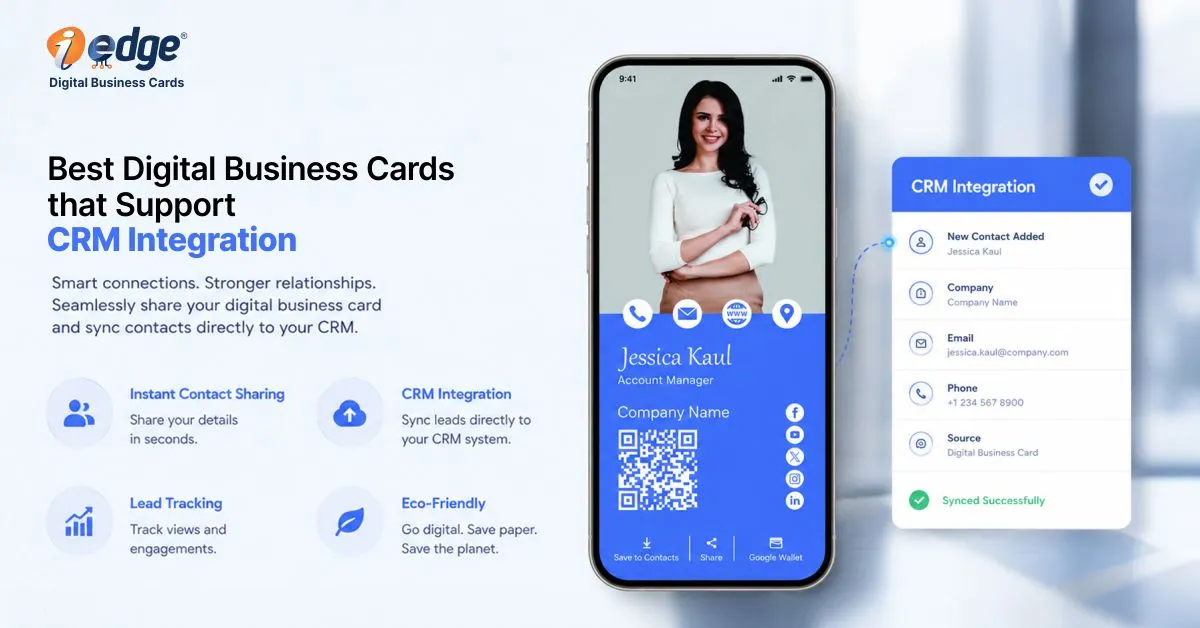
Digital cards fix that. They are dynamic, trackable, and built for real-time sharing. More importantly, they connect directly to your sales systems. That is the real shift. The conversation does not end when the handshake ends. It moves straight into your pipeline.
For business leaders, this is not a small upgrade. It is a strategic decision. The best digital business cards are no longer just contact-sharing tools. They are lead capture engines, reduce friction for your sales team, improve data quality, and accelerate follow-ups.
If your team still relies on manual entry after events, you are leaking revenue. This guide breaks down what matters, what to evaluate, and which platforms stand out among the top digital business cards available today.
Why a Digital Business Card Must Support CRM Integration
Let’s get direct. Without CRM integration, a digital card is only half useful. Sales teams today operate in high-velocity environments. According to the recent 2025 sales productivity benchmarks:
- Up to 35% of leads decay within the first 24 hours without follow-up.
- Sales reps spend 15-20% of their time on manual data entry
- CRM data error rates can exceed 25% due to manual input
These are not small inefficiencies. They are systemic losses. When your team uses disconnected tools, three problems appear:
1. Lead Loss Happens Fast
After an event or meeting, delays kill momentum. If a contact is not logged instantly, it may never be followed up.
2. Data Quality Drops
Manual entry leads to typos, incomplete records, and duplicate entries. That weakens forecasting and personalization.
3. Productivity Suffers
Highly paid sales reps should not spend hours entering contact details. That time should go into closing deals.
This is why digital business cards with CRM integration are essential. They automate the entire process. A contact is captured, enriched, and pushed into your CRM instantly. The best business cards today act as data pipelines. They connect conversations to revenue systems in seconds.
How to Choose the Best Digital Business Card with Integration
Not all solutions are equal. Some look good but fail in execution. Others offer deep integrations but lack usability. Here is how to evaluate the best digital cards for your organization.
1. Quality of CRM Integration
This is the most critical factor. Native integrations are always stronger than third-party connectors. They offer faster sync, fewer errors, and better field mapping. Zapier-based connections can work.
But they introduce delays and dependencies. For enterprise teams, native integration with platforms like Salesforce or HubSpot is preferred.
Ask this:
- Does it support real-time sync?
- Can you map custom fields?
- Does it support bidirectional updates?
If the answer to the above questions is no, move on.

2. Lead Capture Workflow
Your reps should capture leads in seconds, not minutes.
Look for:
- QR code scanning
- NFC tap sharing
- Instant form capture
- Auto-enrichment of contact data
The best digital business cards remove friction. They do not add steps.
3. Ease of Use
Adoption is everything. If your team finds the tool confusing, they will not use it. Even the most advanced platform fails without user buy-in.
Evaluate:
- Setup time
- Interface clarity
- Mobile experience
- Speed of sharing
Simple tool win.


4. Team Features
For leadership, this matters as much as usability. You need visibility and control.
Look for:
- Centralized admin dashboard
- Team-wide branding control
- Analytics on card views and interactions
- Role-based permissions
The top digital business cards offer enterprise-level management, not just individual use.
5. Security and Compliance
You are handling sensitive customer data. This cannot be ignored.
Prioritize:
- GDPR compliance
- DPDP compliance
- Data encryption standards
Executives must treat this as a non-negotiable requirement.


6. Price and Value
Do not just look at the cost, look at ROI. A platform that saves hours per week and improves lead conversion is worth far more than its subscription fee. The best business cards deliver measurable impact. Think pipeline growth, not subscription cost.
Best Digital Business Cards with CRM Integration
Let’s break down five leading platforms. These represent some of the best digital business cards available today.
1. V1CE
V1CE positions itself as a premium digital networking solution. It blends physical NFC cards with digital profiles. This makes it appealing for executives who value brand perception during in-person meetings.
It is less about deep system integration and more about making a strong first impression.
Key Features
- NFC-enabled cards that allow instant sharing with a tap.
- Custom branding options including materials and finishes.
- Digital profile hosting with contact details and links.
- QR code fallback for non-NFC devices.
- Basic CRM compatibility through integration.
| Pros | Cons |
|---|---|
| Premium build quality | Limited deep CRM integration |
| Strong brand impression | Higher upfront cost |
| Simple sharing experience | Less suited for large teams |
Overall Verdict
V1CE stands out visually. It creates impact in face-to-face settings. However, it is not built for heavy CRM workflows. Among the best digital business cards, it fits leadership branding more than sales automation.
2. Popl
Popl is widely recognized in the digital networking space. It focuses on scalability and performance. The platform is designed for sales teams that need speed, automation, and integration at scale.
Key Features
- Native CRM integrations with platforms like Salesforce and HubSpot
- Lead capture forms that sync directly to CRM
- Real-time data transfer for instant follow-up
- Team management dashboard for centralized control
- Analytics tracking for engagement and conversions
- Multiple sharing options including NFC, QR, and links
| Pros | Cons |
|---|---|
| Strong CRM connectivity | Premium pricing tiers |
| Easy team deployment | Feature overload for small teams |
| Robust analytics | Customization can feel limited |
Overall Verdict
Popl is built for execution. It supports high-volume sales teams and fast-moving pipelines. If CRM integration is your priority, it ranks among the top digital business cards available today.
3. iEdge
iEdge is designed with a sales-first mindset. It goes beyond simple sharing and focuses on measurable outcomes. The platform emphasizes analytics, automation, and CRM alignment.
Key Features
- Deep CRM integration with advanced field mapping
- Real-time lead capture and syncing
- Performance analytics at individual and team levels
- Centralized admin controls for large teams
- Custom workflows for lead routing and tracking
- Data-driven insights for optimizing conversions
| Pros | Cons |
|---|---|
| Strong focus on sales ROI | Requires onboarding for full use |
| Advanced reporting features | May feel complex for small teams |
| Scalable for large teams | Pricing varies by features |
Overall Verdict
iEdge is built for organizations that care about data and ROI. It is not just a sharing tool. It is a sales enablement layer. Among the best digital cards, it is one of the strongest for performance-driven teams.
4. Blinq
Blinq focuses on simplicity and accessibility. It offers a lightweight solution for professionals and small teams entering the digital networking space.
Key Features
- Quick card creation with minimal setup
- Mobile-first interface for easy access
- QR code sharing for universal compatibility
- Basic CRM integrations
- Affordable pricing tiers
- Contact management tools
| Pros | Cons |
|---|---|
| Affordable pricing | Limited advanced features |
| Simple interface | Basic analytics |
| Fast setup | Less enterprise support |
Overall Verdict
Blinq is practical and easy to deploy. It lacks depth in analytics and enterprise features. Still, it holds its place among the best business cards for startups and smaller teams.
5. HiHello
HiHello emphasizes design and user experience. It aims to deliver clean, professional digital identities with moderate CRM functionality.
Key Features
- Highly customizable digital profiles
- Contact management system
- CRM integration support
- Email signature integration
- User-friendly mobile app
- Secure data handling practices
| Pros | Cons |
|---|---|
| Clean UI | Limited enterprise controls |
| Good contact management | CRM features not as deep |
| Strong personalization | Analytics are basic |
Overall Verdict
HiHello balances usability and aesthetics. It works well for professionals who value presentation. However, it is not the most advanced option for CRM-heavy workflows. Among the top digital business cards, it fits branding-focused use cases.
Conclusion
The shift to digital is not optional anymore. It is operational. The best digital business cards do more than replace paper. They connect conversations to systems. They capture leads instantly. They improve data accuracy. They give leadership visibility into pipeline activity.
For C-suite executives, the ROI is clear:
- Faster lead follow-ups
- Higher conversion rates
- Better data integrity
- Increased sales productivity
When paired with strong CRM integration, these tools become revenue drivers. If your team still relies on manual processes, you are leaving growth on the table. The best digital cards close that gap.
The decision now is simple. Upgrade your networking stack. Equip your team with tools that match the pace of modern sales.
FAQs
Paper cards cannot track engagement or capture data automatically. Digital alternatives provide real-time lead capture, analytics, and CRM syncing. This leads to faster response times and better conversion rates.
For enterprises, the best business cards are those that connect directly to sales workflows and improve pipeline visibility.
Integration typically happens through native APIs or third-party connectors. Native integrations allow real-time syncing, custom field mapping, and bidirectional updates.
This means every interaction is logged instantly in your CRM. The top digital business cards prioritize native integrations for reliability and speed.
Focus on CRM integration quality, lead capture speed, ease of use, team management tools, and analytics. Security and compliance should also be evaluated. The best digital business cards combine all these elements to support both sales teams and leadership visibility.
Yes. Studies show sales reps spend up to 20% of their time on manual data entry. Automating this process allows more time for selling activities. Faster follow-ups also increase conversion rates. The best business cards directly impact productivity by reducing administrative tasks.
In most cases, yes. With proper integration, contact details, meeting notes, and interaction data can be captured automatically. This reduces dependency on manual entry. The best business cards are designed to eliminate repetitive administrative work.